Showing posts with label How to. Show all posts

Tuesday, 5 March 2013

6 ways to leverage on Facebook (by ogilvy)

Δείτε τους έξι τρόπους που προτείνει η Ogilvy για να εκμεταλλευτείτε το facebook.


4feb5ffa54ad411672339c5ac4db1374

Read more ...

Tuesday, 19 February 2013

How to get more shares on facebook [infographic]

An infοgraphic with 14 examples of how to get more shares on Facebook.


Read more ...

Friday, 11 January 2013

Application που θα κάνουν την ζωή σας πιο εύκολη (part 2)

 LastPass
Κι αφού τα είπαμε για το Wunderlist 2 που θα οργανώσει τις δουλειές σας έρχεται η σειρά ενός άλλου application το οποίο έρχεται να δώσει μία ακόμα λύση και να κάνει τη ζωή σας πιο εύκολη.
Το πρόβλημα: Το να θυμάσαι όλα τα usernames και passwords σε όλα τα websites που έχεις επισκεφτεί είναι πάρα πολύ δύσκολο, αλλά ακόμα και να τα θυμάσαι είναι σπαστικό να πρέπει να τα γράφεις κάθε φορά.
Η λύση: Lastpass. Πρόκειται για ένα πρόγραμμα που προστίθεται κάθε φορά στον browser σου (μπορεί να γίνει εγκατάσταση παντού!!!) και αποθηκεύει όλους τους κωδικούς σου σε ένα μέρος στο οποίο έχεις πρόσβαση μόνο εσύ!
Πέρα από το γεγονός ότι θυμάται όλα τα password σου μπορεί να σε βάζει αυτόματα στις ιστοσελίδες όπου έχεις αποθηκεύσει τους κωδικούς σου, έτσι όταν θα ξαναμπείς στο facebook το lastpass θα βάλει μόνο του τους το email και τον κωδικό σου και θα κάνει login, κι αυτό μπορεί να γίνει για όσα site επιλέξεις εσύ. Φαντάσου πόσο χρόνο γλιτώνεις!!!
Και για να μην τα πολυλογώ, μπες στο lastpass.com κάνε τον λογαριασμό σου, κατέβασε το extension ανάλογα με τον browsers που χρησιμοποιείς ξεκίνα να κάνεις την ζωή σου πιο εύκολη :D
Read more ...

Friday, 4 January 2013

Application που θα κάνουν την ζωή σας πιο εύκολη (part 1)

Wunderlist 2 Mac 2


Ξεκινάω το πρώτο από τα πολλά (δεν ξέρω ακόμα πόσα) άρθρα για τα apps που θα κάνουν την ζωή σας πιο εύκολη.

Πρώτο και καλύτερο (κατά τη γνώμη μου) application που θα κάνει την ζωή σας πιο εύκολη αλλά και πιο οργανωμένη δεν είναι άλλο από το Wunderlist. Ο λόγος που ξεκινάω με το συγκεκριμένο application δεν είναι τυχαίως γιατί τον τελευταίο καιρό απλά με έχει ξελασπώσει.

Πρόκειται για μία εφαρμογή με την οποία δημιουργείς λίστες με πράγματα που θέλεις να κάνεις. Ανήκει στην κατηγορία to-do-list και είναι από τα πληρέστερα application που υπάρχουν αυτή τη στιγμή στην αγορά. Το πιο απλό πράγμα που μπορείτε να κάνετε σε αυτό είναι να δημιουργήσετε λίστες με πράγματα που θέλετε να κάνετε έτσι ώστε να τα έχετε συγκεντρωμένα και οργανωμένα κάπου (έτσι ώστε κάποια στιγμή επιτέλους να τα κάνετε).

Ένα από τα βασικά χαρακτηριστικά του είναι ότι η τιμή του είναι ΔΩΡΕΑΝ! Κι όμως έχει δυνατότητες που κάποια άλλα apps τις χρεώνουν και με 50€!

Έτσι λοιπόν μπορείτε να φτιάξετε λίστες από τα ψώνια που θέλετε να κάνετε στο supermarket μέχρι και την λίστα για το πάρτυ γενεθλίων σας ή το ταξίδι που ετοιμάζετε στην Αίγυπτο.

Για να μην χάνετε ποτέ τις λίστες σας μπορείτε να έχετε το Wunderlist στο PC, στο Mac, στο iPhone, στο Android smartphone σας αλλά φυσικά και στο internet. Και όλες αυτές οι συσκευές συγχρονίζονται έτσι ώστε οι λίστες σας να είναι διαθέσιμες παντού ανά πάσα στιγμή.

Η νέα έκδοση του Wunderlist σας δίνει και την δυνατότητα να λαμβάνετε ειδοποιήσεις για κάθε αντικείμενο που έχετε βάλει στη λίστα σας. Έτσι αν έχετε μία λίστα που λέγεται "Δουλειά" τότε εκεί μπορείτε να βάλετε όλα τα σημαντικά task σας με υπενθύμιση την ώρα που πρέπει να γίνουν έτσι ώστε να μην ξεχάσετε τίποτα!

Καλά, που να δείτε βέβαια και το design, θα πάθετε πλάκα! 

Δοκιμάστε το στο www.wunderlist.com και ξεκινήστε να κάνετε την ζωή σας πιο εύκολη :)

Και πείτε μου πως σας φάνηκε ή αν το χρησιμοποιείτε ήδη τότε με ποιους τρόπους.

Read more ...

Thursday, 21 June 2012

Emoticons bar στο Facebook chat

Όσοι είχατε πρόβλημα να θυμάστε όλα τα emoticons που μπορεί να πάρει το facebook και ανατρέχατε στο google για να βρείτε πως να βάλετε το  στο chat, να ξέρετε ότι τώρα ποια δεν θα έχετε ξανά το ίδιο πρόβλημα.

Το facebook έχει βάλει στο chat την επιλογή να με 2 click να βάλετε οποιοδήποτε emoticon θέλετε χωρίς να χρειάζεται να θυμάστε πως να το γράψετε.

:)


Read more ...

Wednesday, 4 April 2012

Sir Richard Branson's quote for Mindvalley


"It's all about finding and hiring people smarter than you. Getting them to join your business. And giving them good work. Then getting out of their way. And trusting them. You have to get out of the way so YOU can focus on the bigger vision. That's important. And here's the main thing....you must make them see their work as a MISSION."

Sir Richard Branson [via]
Read more ...

Tuesday, 3 April 2012

Design για Start Ups


Δείτε αυτό το πολύ ενδιαφέρον website για το design γι' αυτούς που δεν είναι designers.

Startups, This Is How Design Works – by Wells Riley:
Read more ...

Tuesday, 21 February 2012

Track your website like a BOSS

If you need some basic tips about "How to track your website" this infographic is just for you:


www.hyper.no
Read more ...

Friday, 16 December 2011

Πως να αποκτήσετε το νέο "profile" στο facebook


Ήρθε το καινούριο profile στο facebook και μπορείτε να το αποκτήσετε αμέσως.

Είναι πολύ απλό! Μπαίνετε στο facebook.com/about/timeline και πατάτε το "Get Timeline".


Kαι αυτόματα θα μεταφερθείτε στο καινούριο σας προφίλ (ή αλλιώς timeline).

Θα καταλάβετε αμέσως τη διαφορά :)

Για να γίνει ενεργό το "timeline" θα πρέπει να πατήσετε "Publish now" στο προφίλ σας.

Υ.Γ. Αν δεν κάνετε την αλλαγή μόνοι σας, θα σας την κάνει το facebook αυτόματα στις 22 Δεκεμβρίου.
Read more ...

Monday, 21 November 2011

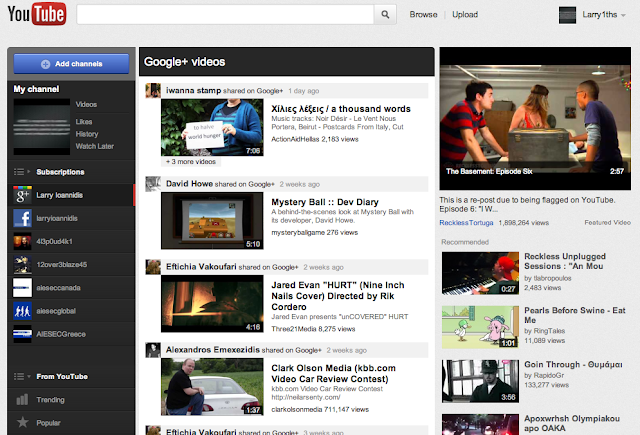
Αποκτήστε το νέο Youtube!


Η διαδικασία είναι πολύ απλή.

Πρωτ' απ' όλα πρέπει να έχετε Firefox ή Google Chrome.

Μπείτε το youtube.com και στη συνέχεια πατήστε:
Στο Firefox: Ctrl + Shift + K (Win) | Cmd + Shift + K (Mac)
Στο Chrome: Ctrl + Shift + J (Win) | or Cmd + Alt + J (Mac)
Στην οθόνη που θα εμφανιστεί ψάξτε για την κονσόλα (console).

Εκεί αντιγράψτε τον παρακάτω κώδικα:
document.cookie="VISITOR_INFO1_LIVE=ST1Ti53r4fU";
Και πατήστε Enter.

Κλείστε την κονσόλα, κάντε ανανέωση και το νέο Youtube είναι εδώ!


SOS (δεν ξέρω ακόμα πως να επαναφέρετε το youtube στην παλιά κατάσταση!) 
Read more ...

Wednesday, 9 November 2011

Google+ Pages Launched!


Marketeers have been waiting for a long time for this. Now brands, companies and all the businesses can have their Google+ page to connect with their customers & fans.

To create your own Google+ page you can go here: https://plus.google.com/pages/create

Read more ...

Sunday, 6 November 2011

Social Media Policy @ Work

Do you need social media policy @ work or not?

Find you answer in this video.


What do you think? Is it important to have policies for social media @ work? If yes, which one are the most important for you?
Read more ...

Friday, 4 November 2011

Worried about your online reputation? 4 things you have to know

Our online reputation today could be much more important than our reputation in real world so what are the main things we have to know about "e-reputation"?


Read more ...

Monday, 4 July 2011

How to: Use Facebook at work without being caught!

If your boss doesn't liκe Facebook and he warned you that "if he sees anyone in the office opening that website he again, he will fire him", don't worry.

There is a way that he will never understands that you are on facebook and actually think that you are working hard while you will be liking and commenting your FB friends!

HardlyWork.in will make your facebook look like an excel spreadsheet. Just an illusion for your boss to think that you're working

Go to the website: hardlywork.in 

and press the blue button to connect to facebook.


You will be redirected to this page.


This page shows you how your news feed will look like in the "excel" and gives you an explanation of how facebook works now.

Here you can see recent posts from your friends, like them and comment them...

Sorry, you can't see pictures cause your boss will catch you!

Did you like this application? Are you going to use it at work?


Read more ...

Friday, 1 July 2011

Google+ Circles... on Facebook

It has been only 2 days since Google+ is launched and there are a lot of people that are very enthusiastic about the new social network.

But there are some people that are for sure not so excited with that... people that work in Facebook.

For that reason there are already some hacks created that copy Google+ features and integrate it to Facebook.

The first example is the "Circles" which gives you an easy way to manage your "friends" and put them into groups.

Check the video to see how it works on Google+


So now if you would love to have this feature on Facebook too, you can have it!!!!

The application that gives you this opportunity is called "Circle Hack" and it is very simple to use...

Just go to the webiste http://www.circlehack.com/ ...

Press the "Login" button


Allow the application to access your data...

...aaaaaand voila! You can now use the "Circles" to create lists of your facebook friends.


So are you going to switch to Google+ now?
Read more ...

Tuesday, 28 June 2011

What Do You Love?

That's a good question...

But did you ever think what you love is on web. And did you ever think that you can find so much more about what you love on web.

Google created for you a website to find out things on web about what you love. From pics, to videos, discussions or blogs... With a very nice design.


So what do you love? Find it here: http://www.wdyl.com/
Read more ...

Sunday, 13 March 2011

HOW TO: Tag friends in facebook comments

Did you know that now you have the option to tag people also in facebook comments and not only in your facebook status. It's true earlier today facebook announced the new feature and already many of users have been using this option. If you also want to do that you can simply type @(and the name of the person, event or page you want to tag). So easy.


Read more ...

Friday, 11 February 2011

HOW TO: use the new Facebook Bussiness Pages Layout & Admin Tools

Facebook has released the new facebook pages design! And of course I will show you the new features!

First of all here is how a new facebook page looks like:


The main changes that you can see is the app bar that is now vertical under the profile picture and the 5 photos on the top of the wall (the same as in the new facebook profile).

The greatest change though is the administration of the facebook pages as now the admins use them as profile.

That means that you they will get notification when they have a new fan, or when there is interaction with the fanpage (like, comment, photos etc)

Moreover now you can post on other pages with the name of the page and not personally from  you profile. So, for example, if I have logged in as Brand A I can leave comments as Brand A on Brand B wall.

In addition you can see the feeds of other pages that you have as favorites and interact with them even more (that makes cooperation between brands even stronger!)

So to summarize the new facebook fanpages will look even cooler but the most important thing is that the administrators will have more tools to admin their facebook fanpages!
Read more ...

Wednesday, 26 January 2011

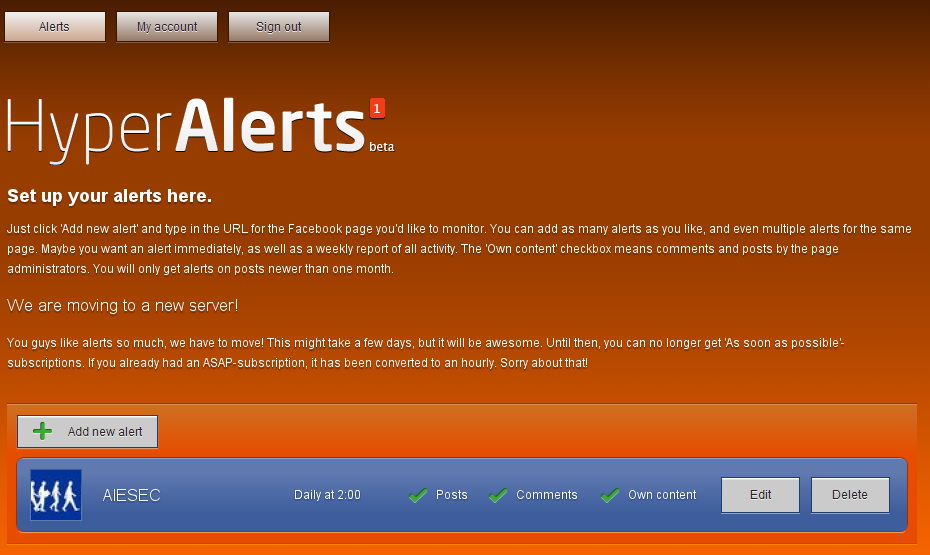
How to: Monitor the posts and comments of your facebook fanpage [Must tool for fanpage admins]


If you are a community manager and you have to monitor the post and comments of your facebook fanpage this tool is going to "save your life"!

It's called Hyper Alerts, and it's created from a Norwegian Company, Hyper Interaciv.

1st thing is that (till now) it's FREE! So you can try it without any cost ;-)

2nd it's really easy to use. 

So let's see how it's working.

There you will see this:


This is the homepage of the tool. If you want to create a new account just press: Create new account and you will see this form:


Just write your email and the password you want. Press register and it's DONE ;-)


You will be redirected to your account page were you can add fanpages that you want to monitor. So easy.


You will get all the new updates in your inbox the time you have set & this is how an alert may look like in your inbox.


So do you know any other cool tool for Facebook fanpage administration? Let me know in the comment box below!
Read more ...

Sunday, 23 January 2011

HOW TO: Get the best out of this blog?

First of all I want to thank everyone of  you for reading this blog so far. The views have reached almost 14.000 and that couldn't happen without you!

So, if you want to get the best out of this blog... the best thing is to interact with it and not lose any of the new posts. That's why I have all the possible way of doing that in just 1 post. ;-)

First of all you can "like" the fanpage of the blog were I often post things that you will never see on the website.


Second thing is the subsciption to RSS by pressing here --> Subscribe to this blog via RSS

RSS is the easiest way to get live updates of any blog. For more help you can read this post.

Another way to subscribe to the blog is via mail if you want to get all the update into your inbox.
Use the box below to subscibe ;-)


Last but not least thing that you can do to get the best out of this blog is to comment on the post and share your opinion! I really love when I get some of your thoughts in my inbox and I promise to share some of the best in the next post with you....

You can post at the space below ;-)

Thank you very much for reading... Keep sharing my posts and giving me ideas for what you want to see...

Yours,
Larry


Read more ...